How to Choose Report Generation Automation Software: A Buyer's Guide
Your team already runs on WhatsApp, so why are reports still built by hand in spreadsheets? Every week spent copying updates into a template is a week of decisions delayed. Choosing report automation software is a real buying decision, not a checkbox.
By the end of this guide, you will know how to evaluate tools against your actual workflow. You will see where Tasks.Bot fits, what its beta status and free trial mean for risk, and how to decide whether it beats the alternatives.
What Is Tasks.Bot? Report Automation Built Into WhatsApp
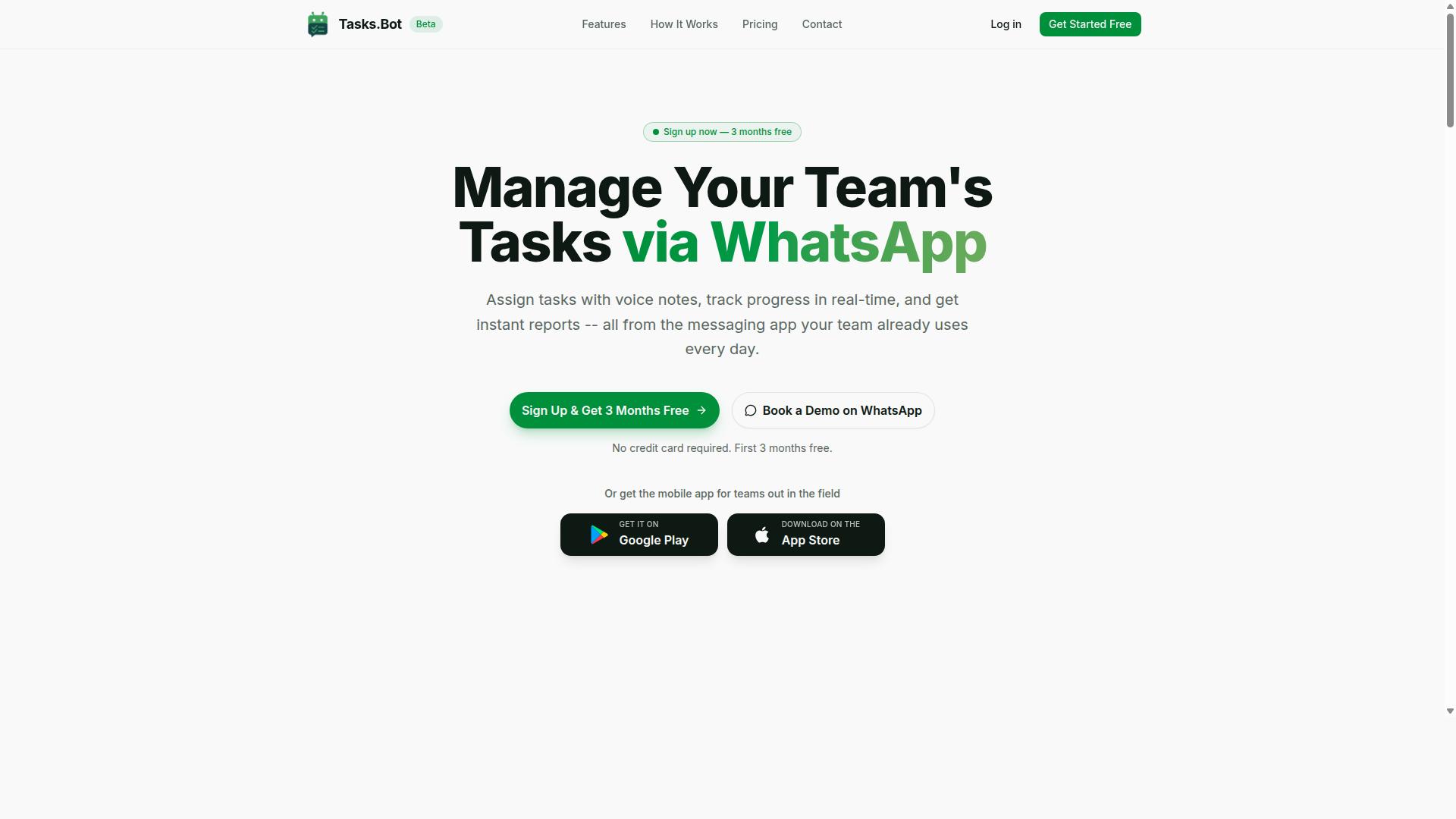
Tasks.Bot is a task management platform that operates entirely within WhatsApp, allowing teams to assign tasks, track progress, and receive instant reports without leaving the messaging app. Instead of asking managers to log into yet another dashboard, it turns the chat tool most teams already use every day into the place where work gets assigned and results get reported back.
That design choice matters for anyone evaluating report generation automation software. Most automated reporting tools assume users will adopt a new interface, learn a query builder, and check a portal regularly. Tasks.Bot takes the opposite approach: reporting happens where the conversation already is.
For a buyer working through this guide, Tasks.Bot represents a specific category worth understanding before comparing heavier platforms. It is a lightweight reporting layer tied to task activity, not a full business intelligence suite.
Key characteristics to keep in mind:
- WhatsApp-native: tasks, progress tracking, and reports all live inside the messaging app
- Activity-driven reporting: reports are generated from what teams actually do with their tasks
- Mobile app included: a companion app supports field teams who are not sitting at a desk
- Currently in beta: the service is still maturing, with a free trial period available
The distinction between Tasks.Bot and a conventional BI platform is important. A standalone BI tool typically connects to a SQL database or cloud warehouse, then handles dashboard creation, data visualization, and deep historical analysis. Tasks.Bot does not position itself that way. It focuses on a narrower job: turning task activity into reports a team can receive automatically.
That narrower scope is not a weakness for the right buyer. If your team already coordinates work through WhatsApp and struggles to get status updates out of it, a purpose-built reporting layer removes friction that a general analytics platform would add. If you need cross-system data source integration, complex custom report builder logic, or real-time analytics across many systems, that is a different purchase.
Tasks.Bot also offers a mobile app for field teams. This matters because field-based staff are often the hardest group to bring into any reporting workflow, and a WhatsApp-first tool with mobile support meets them on familiar ground rather than demanding desktop access.
Because the service is currently in beta and offers a free trial period, buyers can evaluate it against their real reporting needs before committing. That trial window is the right time to test whether the WhatsApp approach fits your team's habits, and whether the reports you receive are the ones you actually need.
In short, Tasks.Bot is best understood as a focused, accessible option within the broader report generation automation software market. It serves teams that want automated reporting without adopting a full BI stack, and it earns its place on that shortlist when WhatsApp is already central to how work gets done.
Does Tasks.Bot Solve the Report Generation Problem? A Direct Answer
Yes, Tasks.Bot directly addresses the report generation problem by automating report creation and delivery within WhatsApp, eliminating the need for manual data compilation and separate reporting tools. For teams tired of chasing spreadsheets and stitching together updates by hand, that is the core promise: reports that build themselves from the work already being tracked.
To see why that matters, it helps to name the problem clearly. Most teams lose hours every week pulling numbers from disconnected places. Task updates live in one tool, attendance in another, and the final report gets assembled by hand, late and often wrong.
Tasks.Bot approaches this differently. Instead of asking people to compile data, it generates reports from task data, attendance, and other activities already recorded in the system. The report becomes a byproduct of normal work, not an extra chore.
Three practical outcomes stand out for anyone weighing report generation automation software:
- Instant reports that reflect current activity rather than last week's snapshot
- Automated scheduling so recurring updates go out without anyone remembering to send them
- Delivery via WhatsApp, meeting teams where they already communicate instead of adding another dashboard to check
That last point deserves emphasis. Many automated reporting tools assume everyone will log into a portal. Tasks.Bot instead pushes reports into a channel most teams already use daily, which lowers the adoption barrier considerably.
It is worth being straightforward about maturity. Tasks.Bot is currently in beta, so buyers should expect continued refinement. Simultaneously, it is already used by hundreds of teams, which suggests the core reporting workflow holds up in real day-to-day use rather than only in demos.
If you want to evaluate it against your own reporting needs, the site offers a Book a Demo on WhatsApp option, a sensible way to see how reports look with your kind of data. A refund policy is also listed in the footer, which gives cautious buyers a fallback while the product is still in beta.
The honest verdict: if your reporting pain comes from manual compilation and scattered data, Tasks.Bot targets exactly that problem, and it does so inside a tool your team likely already has open.
Key Features and What Makes Tasks.Bot Stand Out
Tasks.Bot differentiates itself through AI-powered task creation, instant reporting, and field team tools, all accessible within WhatsApp. Rather than asking teams to adopt another dashboard or mobile app, it meets them in the messaging tool they already use every day.
That choice matters for a report generation automation software buyer. Adoption is often the hardest part of any reporting rollout, and Tasks.Bot sidesteps it because team members don't need to install anything or create new accounts. The entire experience lives inside a conversation.
Two capability areas stand out for teams evaluating automated reporting tools. The first is AI-driven task and report creation, which turns natural language and voice notes into structured work and the reports that follow. The second is a set of field team management tools, built for organizations whose staff work away from a desk.
Tasks.Bot is aimed squarely at teams that use WhatsApp for communication, particularly those with field staff who need task management, attendance tracking, and payroll-ready hours. Hundreds of teams already use the service, according to the company. The sections below look at each capability area in turn.
Instant Reports, Voice Notes, and AI Task Creation
Tasks.Bot leverages AI to convert voice notes and natural language into structured tasks and reports, enabling instant report generation without manual data entry. A manager can speak a task instead of typing it into a form, and the system interprets the intent behind the message.
This removes a familiar bottleneck in report generation automation software. When task data has to be re-entered by hand before any report can be produced, accuracy suffers and reporting lags behind the work itself. Tasks.Bot captures the task at the moment it is assigned.
Instant reporting then closes the loop. Reports are generated based on task completion, deadlines, and other metrics, and they are delivered through WhatsApp. No one has to remember to open a separate reporting portal or run a manual export.
A simple example shows how this works in practice:
- A manager sends a voice note assigning a task to a team member.
- Tasks.Bot uses AI to understand the message and create the task.
- Smart deadline reminders keep the task on track.
- When the task is completed, a report is automatically generated and shared.
The result is less administrative overhead and fewer transcription errors. For buyers comparing automated reporting tools, the appeal is straightforward: reporting becomes a byproduct of normal communication rather than a separate chore. Tasks.Bot also offers Android and iOS apps with push notifications, voice capture, and a home screen widget, so notifications reach users even when they step away from WhatsApp.
Field Team Tools: Face-Verified Attendance and Live GPS Tracking
For field teams, Tasks.Bot offers face-verified attendance and live GPS tracking, ensuring accurate time logs and location data that feed into reports. Both capabilities operate within WhatsApp, so field staff do not need to learn a new system or carry extra hardware beyond the phone they already have.
Attendance and location data are the raw material for some of the most important reports a field operation produces. Payroll depends on verified hours. Performance reviews depend on knowing who was where and when. Compliance obligations often require a defensible record of both.
Tasks.Bot compiles this information automatically. Attendance records and location logs flow into reports covering payroll, performance, and compliance, and the data can be exported or viewed in reports. That means the numbers a finance or HR team needs are assembled as a byproduct of daily field activity rather than reconstructed afterward.
This combination is what makes Tasks.Bot a strong fit for organizations with distributed staff. A buyer evaluating report generation automation software for a field-heavy workforce should weigh how much of the reporting chain is captured automatically versus manually. Tasks.Bot covers task management, attendance, shifts, leave, and hours management in one place, alongside tasks on a map and a live day tracker.
Security is part of the same picture. Tasks.Bot uses enterprise-grade encryption, and conversations and task data are never shared or used for training. For teams handling payroll and personal location data, that commitment matters as much as the features themselves.
Buyers who want to evaluate the fit before committing can take advantage of a 3-month free trial with no credit card required. That window is enough to see how verified attendance and location data translate into real reports for a working field team.
Pricing and Plans: Simple, Transparent, No Credit Card Required
Tasks.Bot offers a single 'Full Access' plan with all features included, priced at ₹200 per member per month or ₹1,200 per year per member, with no credit card required to start. That one-plan structure removes the most common frustration in software buying: guessing which tier unlocks the features you actually need.
For anyone evaluating report generation automation software, pricing clarity matters as much as the feature list. A plan that hides report scheduling or dashboard creation behind a higher tier makes budgeting harder. Tasks.Bot keeps everything in one place, so the price you see reflects the full product.
The platform supports both Indian Rupees and US Dollars, and the site includes a 'Select currency' option so buyers can confirm the currency that applies to them before committing. New users also receive 3 months free and can cancel anytime, which gives teams room to evaluate the tool against real reporting workloads.
Because pricing is charged per member, costs scale directly with team size rather than forcing a jump between fixed packages. A small team pays for a small team. A growing department adds seats as it adds people.
| Plan | Price | Billing | Features |
|---|---|---|---|
| Full Access (monthly) | ₹200 per member per month | Monthly | All features included |
| Full Access (annual) | ₹1,200 per year per member | Annual | All features included, save 50% |
The annual option works out to a 50% saving, equivalent to ₹1,200 saved per member per year. For a team of five, that difference adds up quickly across a full reporting cycle.
There are no hidden fees layered on top. Every feature is part of the single plan, so there is no separate charge to unlock export formats, email scheduling, or role-based access. What you see in the plan is what the team gets.
Cost-effectiveness improves with scale. A two-person team pays for two seats. A twenty-person team pays for twenty, with the same full feature set available to each member. There is no penalty for growth and no renegotiation required as headcount changes.
For buyers comparing subscription models across automated reporting tools, the combination of one transparent price, per-member scaling, a free starting period, and no credit card requirement makes the decision straightforward. Tasks.Bot keeps the commercial side as simple as the reporting side, which is exactly what a buyer's guide should reward.
Trust Signals: Beta Status, Encryption, and Refund Policy
Tasks.Bot is currently in beta, employs encryption to protect data, and offers a refund policy, providing transparency and security for early adopters. These three signals matter more than any feature list when you are evaluating report generation automation software. They tell you how the vendor handles uncertainty, how it treats your data, and what happens if the product does not fit your workflow.
In a buyer's guide, trust signals separate tools you can adopt with confidence from tools that leave you exposed. For a platform handling scheduled reports, SQL database connections, and exported business intelligence reporting, the stakes are higher than most software categories.
Beta status is not a red flag when it is disclosed openly. A vendor that labels its product as beta is telling you the truth about its maturity rather than overselling. Tasks.Bot is currently in beta, which means the platform is still evolving while already serving real users and real reporting needs. The trade-off is straightforward. You may see features change or improve over time, and you get early access to a product being shaped by feedback.
For teams weighing automated reporting tools, this transparency is worth more than a polished marketing claim. A beta label signals active development, and it sets honest expectations about what stability looks like today versus after general release.
Encryption protects your reporting data at every stage. Tasks.Bot employs encryption to protect data, covering the two points that matter most in any security review: data moving between systems, such as a data source integration pulling from a SQL database or cloud reporting platform, and data sitting in storage after import.
When you evaluate report generation automation software, ask every vendor two questions. Is data encrypted in transit, and is it encrypted at rest? If a vendor cannot answer both clearly, that is a warning sign. Encryption in transit shields scheduled report deliveries, email scheduling traffic, and API connectivity from interception. Encryption at rest protects stored datasets, saved templates, and generated output such as PDF generation files or Excel output.
Note what encryption does not automatically guarantee. It is one layer of a broader security posture, alongside user permissions, role-based access, and audit controls. Encryption is a baseline, not a complete compliance story. If a vendor claims GDPR or HIPAA compliance, ask for documentation rather than taking a badge at face value.
A refund policy removes the financial risk of trying the product. Tasks.Bot mentions a refund policy in the footer of its site, which is a meaningful trust signal in a market where many subscriptions lock you in immediately. For buyers comparing pricing models, a refund policy changes the calculus. You can evaluate dashboard creation, template library quality, and export formats with real data before fully committing.
Refund terms vary across vendors, so read the specifics before you subscribe. Confirm the window, the conditions, and how requests are handled. A clearly stated refund policy is a sign the vendor stands behind its product. A vague or buried one is a reason to slow down.
Practical steps when assessing any vendor's trust signals:
- Confirm the product's current release status and how the vendor communicates it
- Verify encryption for data in transit and at rest, in writing
- Read the refund policy terms, including any conditions or time limits
- Check how the vendor handles user permissions and role-based access
- Ask directly about compliance standards rather than assuming them
Tasks.Bot also offers a Book a Demo on WhatsApp option on its website, giving prospective buyers a direct way to ask these questions before committing. That kind of accessible pre-sales conversation is itself a trust signal, because it puts a real channel in front of you rather than a contact form black hole.
Weigh these signals together rather than in isolation. A beta product with encryption, a refund policy, and an open demo channel presents a coherent picture of a vendor being straightforward about where it stands. That combination is what a careful buyer's guide should reward.
Who Should Use Tasks.Bot
Tasks.Bot is not built for every team, and that is precisely what makes it a strong fit for certain ones. If your organization runs on spreadsheets, a dedicated project management suite, or a complex business intelligence reporting stack, this tool is likely not the right match.
The platform is designed specifically for teams that already communicate via WhatsApp and for field staff who need attendance tracking and payroll-ready hours. Hundreds of teams already use the service, which suggests the model works well for organizations that fit that profile.
Two groups benefit most. The first is teams whose daily communication already happens inside WhatsApp. The second is operations with workers in the field who need verifiable attendance records and accurate hours for payroll.
If your team fits either profile, the sections below explain why. If it does not, you are better served by a traditional report generation automation software platform built for desktop-first workflows.
Teams Already Running on WhatsApp
If your team already uses WhatsApp for communication, Tasks.Bot integrates natively to add task management and automated reporting without requiring new apps or accounts. That single design decision removes the biggest barrier to adopting any new tool: getting people to install it.
Because Tasks.Bot operates entirely within WhatsApp, team members do not need to install anything or create new accounts. There is no onboarding email, no password to remember, no app store download. People simply keep using the chat app they already have open all day.
Reports are delivered directly in WhatsApp chats, so results land where conversations are already happening. This matters for several types of teams:
- Small businesses where owners and staff coordinate in a single group chat
- Remote teams spread across locations who rely on messaging to stay aligned
- Service and retail operations where managers need quick status updates without logging into another dashboard
The AI behind Tasks.Bot understands natural language and voice notes for task creation. A manager can send a voice message and have it turn into an assigned task with a deadline, rather than typing out instructions in a separate system.
Instant reports also mean less time switching between apps. Instead of exporting data from one tool, formatting it, and pasting it into a chat, the report arrives in the conversation itself. For teams already living in WhatsApp, that is a meaningful reduction in daily friction.
Field Staff Needing Attendance and Payroll-Ready Hours
For teams with field staff, Tasks.Bot's face-verified attendance and GPS tracking generate accurate, payroll-ready hours that can be automatically compiled into reports. This is the second core audience, and it addresses a problem most field operations know well.
Manual timesheets are slow, easy to falsify, and prone to transcription errors. Tasks.Bot replaces them with face verification at check-in and live GPS tracking during the workday. Each check-in is tied to a verified identity and a physical location, which makes the resulting record far more reliable than a handwritten log.
The platform also supports shifts, leave, and hours management. That data feeds into attendance reports and payroll summaries, so administrators are not manually reconciling entries at the end of a pay period.
Compliance is another reason field teams choose this approach. Accurate time tracking creates a defensible record of who worked when and where, which matters for labor regulations and internal audits. Reports can be exported or shared with payroll systems, so the data moves into existing processes rather than sitting in isolation.
For operations managing distributed crews, the combination of verified attendance and automated reporting removes a recurring administrative burden. It also gives managers a clearer picture of actual hours worked, which supports better scheduling and cost control over time.
Final Verdict: Is Tasks.Bot the Right Report Automation Choice?
Tasks.Bot is a strong choice for teams already using WhatsApp that need simple, automated report generation and field team management, but it may not suit those seeking advanced BI features. The decision comes down to fit, not overall superiority.
If your daily operations already run through WhatsApp, this tool meets you where your team already works. If you need deep dashboard creation and heavy data visualization, a dedicated business intelligence platform will serve you better.
Here is a balanced look at where Tasks.Bot shines and where buyers should set expectations before committing.
Key strengths worth noting:
- WhatsApp integration: Reports and task updates flow through a channel your team already uses daily, which lowers training time and adoption friction.
- AI-powered task creation: Tasks can be generated with AI assistance, reducing the manual effort of writing out assignments one by one.
- Instant reports: Report generation is automated and immediate, so managers spend less time compiling updates by hand.
- Field tools: The platform includes tools built for field teams, a segment often underserved by traditional office-centric reporting software.
These strengths matter most for small and mid-sized teams that value speed and simplicity over granular control. For those buyers, the value proposition is clear and practical.
Honest limitations to weigh:
Tasks.Bot is still in beta, which means features may evolve and some rough edges are possible. Buyers who need proven, long-stable software should factor that into their timeline.
Customization is also more limited than what dedicated business intelligence reporting tools offer. If you need a custom report builder with fine-grained control over every chart, filter, and layout, this may not be the right fit.
Teams with complex data source integration needs, such as multiple SQL databases or deep API connectivity requirements, should confirm compatibility before committing. The same applies to organizations with strict compliance standards like GDPR or HIPAA that demand specific data handling guarantees.
The verdict: Tasks.Bot is a legitimate, purpose-built tool for WhatsApp-first teams that want automated reporting without a steep learning curve. It is not trying to be an enterprise BI suite, and judging it against that standard misses the point.
If your team lives in WhatsApp and your reporting needs are straightforward, Tasks.Bot is worth trying. If you need advanced dashboard creation, real-time analytics at scale, or extensive export formats and role-based access controls, compare it carefully against dedicated BI platforms first.
For questions, a demo, or more details, you can reach the team directly:
- Phone: +91 97143 42522
- Email: [email protected]
Reaching out on WhatsApp is the fastest way to see whether the platform matches your workflow before you commit.
Frequently Asked Questions
What should I look for in report generation automation software?
Prioritize tools that fit how your team already communicates, so adoption doesn't become a hurdle. Look for automated report delivery, real-time data, and support for the channels your staff actually use. Tasks.Bot, for example, generates instant reports and delivers them inside WhatsApp, where many teams already coordinate their work.
Do I need to install new software or create accounts for my team?
Not necessarily. One of the biggest barriers to adoption is asking team members to learn yet another tool. Tasks.Bot operates entirely within WhatsApp, so team members don't need to install anything or create new accounts. A mobile app is also available for field teams who need it.
How much does report generation automation software typically cost?
Pricing varies widely by vendor, team size, and feature set, so always confirm what's included before committing. Tasks.Bot offers a single 'Full Access' plan with all features included, priced at ₹200 per member per month or ₹1,200 per year per member on the annual plan, with pricing also available in US Dollars.
Can the software handle field teams and attendance tracking?
If you manage field staff, look for tools that combine task tracking with attendance and hours data. Tasks.Bot offers face-verified attendance, tasks on a map, and live day tracking, making it suited to teams with field staff who need payroll-ready hours. This helps you connect daily field activity directly to reporting.
How do I evaluate whether a tool will actually get used by my team?
The best measure is how little behavior change it requires. Tools that live inside apps your team already uses tend to see far higher adoption than ones demanding a new login. Tasks.Bot's WhatsApp-first approach means task assignment, progress tracking, and reports happen in the same place your team already chats.
How can I try the software before buying?
Most vendors offer a demo or trial, so take advantage of it with your real workflows. Tasks.Bot includes a 'Book a Demo on WhatsApp' option, and the service is currently in beta, with a refund policy mentioned in the site footer. You can reach the team at [email protected] or +91 97143 42522 with questions.
Recommended Resources: