Karo.bot vs Tasks.Bot for AI Task Automation Cloud Sync
Your team assigns tasks in one app and tracks them in another. Every AI tool promises automation, but few keep task data synced across WhatsApp, mobile, and the cloud without manual re-entry. If your field crew already lives in chat, that gap costs hours weekly.
This comparison covers how Tasks.Bot handles AI task automation and cloud sync inside WhatsApp, then stacks it against Karo.bot feature by feature. You will see pricing, voice notes, GPS tracking, and beta trust signals, so you can decide which tool fits your team.
What Is Tasks.Bot? AI Task Automation That Lives in WhatsApp
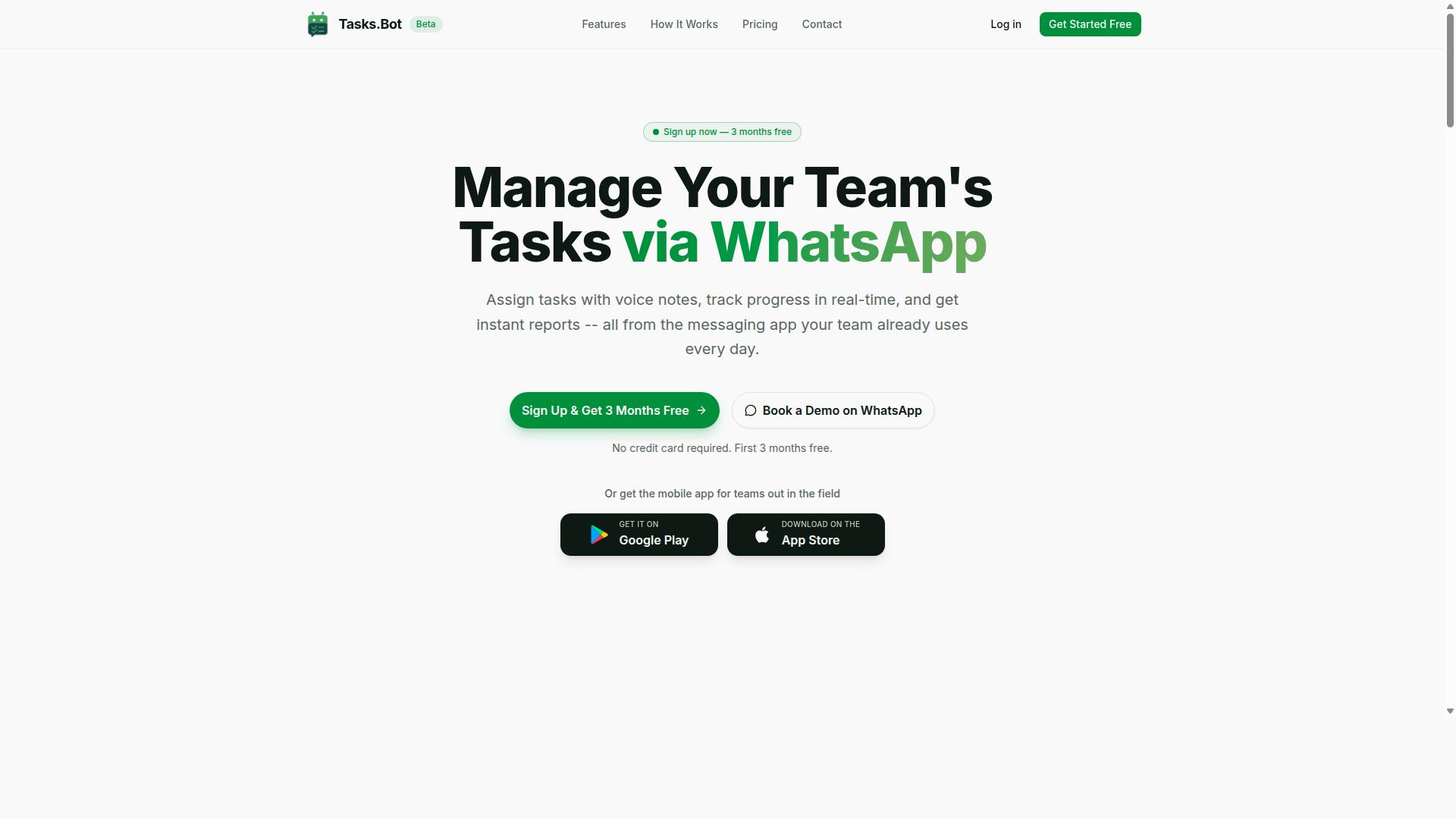
Tasks.Bot is a task management platform that operates entirely within WhatsApp, eliminating the need for teams to adopt a separate app or create new accounts. Instead of asking workers to learn yet another SaaS platform, it meets them in the messaging tool they already open dozens of times a day.
The service is a task management platform built around a simple idea: work conversations and work assignments should not live in two different places. Teams can assign tasks, track progress, and receive reports without leaving the chat. It also offers a mobile app for field teams, so people who are not sitting at a desk can still capture and update work on the go.
Tasks.Bot uses artificial intelligence to understand user intent and create tasks from messages. That means a normal sentence or a quick voice note can become a structured, trackable item rather than a message that gets buried in a thread. This is the core of its AI task automation approach.
Tasks.Bot is currently in beta and offers a free trial period, so teams can evaluate whether WhatsApp-based task management fits how they already work.
How Tasks.Bot Handles AI Task Automation and Cloud Sync
Tasks.Bot leverages AI to convert casual messages and voice notes into structured tasks, automatically assigning them to the right team members. The goal is to remove the manual step of re-entering information into a separate project management tool.
At the center of this is natural language processing. The platform parses task details from typed text or a recorded voice note, pulling out what needs to be done and who should do it. Voice note task creation matters for field teams, where typing on a phone is often slower than simply speaking.
Beyond capture, the system supports automatic task assignment and smart deadline reminders. Approvals and automations add structure to recurring processes, while instant reports give a view of what is done and what is pending.
Here is a concrete example. A field manager sends a voice note: "Assign plumbing repair to Ravi by Friday." Tasks.Bot creates the task, sets the deadline, and notifies Ravi. No form, no dropdown menu, no separate login.
A change made in WhatsApp, or through the Android or iOS app, is reflected everywhere the task appears. That cross-platform synchronization keeps remote teams working from the same picture, whether they are in the office, on a site, or between appointments.
The broader feature set reinforces this workflow: tasks on a map, a live day tracker, face-verified attendance, and shifts, leave, and hours management. Together these capabilities turn a messaging app into a lightweight operations hub for teams that spend their day in the field rather than at a desk.
Karo.bot vs Tasks.Bot for AI Task Automation Cloud Sync: The Direct Answer
When comparing Karo.bot and Tasks.Bot for AI task automation and cloud sync, the key differentiator is that Tasks.Bot operates natively within WhatsApp, while Karo.bot requires a separate interface. That single design choice shapes almost every practical difference between the two tools.
Karo.bot is generally described as a standalone application built around AI automation. Tasks.Bot takes a different route: it lives inside a messaging app your team already has open, so no new accounts or installs are needed for team members to get started.
| Comparison Point | Karo.bot | Tasks.Bot |
|---|---|---|
| Primary interface | Standalone app | WhatsApp, plus a mobile app |
| Task creation | AI automation inside its own app | Natural language and voice notes |
| Cloud sync | Within its own platform | Across WhatsApp and the mobile app |
| Attendance | Not a stated focus | Face-verified attendance |
| Field staff tracking | Not a stated focus | Live GPS tracking |
| Security posture | Varies by provider | Enterprise-grade encryption |
| Current status | Generally available | In beta |
For teams weighing AI task automation, the table above points to a simple split. Karo.bot suits people who want a dedicated app as the center of their workflow. Tasks.Bot suits people who want the workflow to meet them where conversation already happens.
Cloud sync is where the gap widens. Tasks.Bot keeps tasks synchronized across WhatsApp and its mobile app, so a message sent from the field and a check-in made from a phone stay in the same system. That kind of cross-platform synchronization matters most when some of your team is not sitting at a desk.
Two features make that difference concrete for field-based work. Face-verified attendance gives managers a reliable record of who showed up, and live GPS tracking shows where field staff are during the workday. Neither depends on opening a separate dashboard.
Security is worth noting as well. Tasks.Bot states that conversations and task data are never shared or used for training, and that enterprise-grade encryption protects the data. For teams handling client names, locations, or schedules, that commitment is part of the value.
One honest caveat: Tasks.Bot is currently in beta. That means the product is still evolving, and teams should expect ongoing changes. The upside is that the core capabilities, including WhatsApp task creation, voice notes, attendance verification, GPS tracking, and cloud sync, are already in place.
There is also a low-risk way to evaluate it. Tasks.Bot offers a 3-month free trial with no credit card required, which gives a team enough runway to run real tasks through it before committing.
The verdict is straightforward. If your team already runs on WhatsApp, especially with field staff who need attendance checks and location visibility, Tasks.Bot is the better fit for AI task automation with cloud sync. Karo.bot remains a reasonable option for standalone-app workflows, but it asks users to adopt a new surface. Tasks.Bot removes that step entirely.
Key Features and What Makes Tasks.Bot Stand Out
Tasks.Bot distinguishes itself with features designed for WhatsApp-first teams, including voice note task creation, automatic assignment, and specialized field team tools. Instead of asking teams to learn yet another dashboard, the platform works inside the messaging app most people already use every day.
The feature set falls into two broad categories. The first covers AI-powered task creation and assignment, where messages and voice notes become structured to-dos with owners and deadlines attached. The second covers field team management tools, built for staff who work away from a desk and need attendance, location, and progress tracking that reflects reality rather than guesswork.
Both categories are accessible without installing additional software beyond the optional Android and iOS apps. That matters for adoption. When the entry point is WhatsApp rather than a new SaaS platform, the barrier to getting a whole team on board drops sharply.
Tasks.Bot also supports approvals and automations, instant reports, tasks on a map, shifts, leave and hours management, and native WhatsApp integration. Push notifications, voice capture, and a home screen widget round out the mobile experience. The two subsections below look at how the AI task layer and the field team layer each work in practice.
Voice Notes, Natural Language, and Automatic Task Assignment
Tasks.Bot uses AI to transform voice notes and natural language messages into actionable tasks, automatically assigning them to team members and setting smart deadline reminders. A manager can speak a quick instruction in the same way they would message a colleague, and the platform handles the structure.
The AI understands user intent and creates tasks from messages. That means a typed or spoken command such as "Remind John to submit the report by 5 PM tomorrow" can be parsed into three distinct pieces of information: the action, the assignee, and the deadline. Natural language processing does the extraction work, so nobody has to fill in a form.
Assignment then follows predefined rules or AI suggestions. Smart deadline reminders notify both the assignee and the manager, which keeps accountability visible on both sides of a request.
Here is how creating a task by voice note typically looks:
- A team member records a voice note in WhatsApp describing what needs to happen.
- Tasks.Bot transcribes the audio and parses the details, including who should do it and when.
- The task is created and routed to the right person based on rules or AI suggestions.
- Deadline reminders are set, and the assignee receives a notification.
The appeal is speed. Voice capture removes typing friction for anyone on the move, and automatic assignment removes the follow-up message that usually accompanies a verbal request.
Field Team Tools: Face-Verified Attendance, GPS Tracking, and Live Day Tracker
For teams with field staff, Tasks.Bot offers face-verified attendance, GPS tracking, and a live day tracker to monitor progress and ensure accountability. These tools address a persistent problem: managers cannot see what happens off-site, and paper-based sign-ins are easy to dispute.
Face-verified attendance confirms check-ins and gives managers a reliable record of who actually showed up. GPS tracking logs location during task execution, so a completed job can be tied to a place and time rather than a verbal claim. The live day tracker provides updates on task status and field staff movements, all visible without chasing phone calls.
These tools connect with WhatsApp and the mobile apps, so field workers interact through channels they already carry in their pocket. Tasks on a map give a spatial view of activity, while shifts, leave and hours management connect attendance data to payroll-ready hours. Approvals and automations can route timesheets or job completions to the right reviewer.
Consider a field technician starting the day. They check in through face verification, and the manager sees their location alongside task progress in the day tracker. When the job closes, the logged hours feed into the same system that handles shifts and leave, so payroll preparation does not depend on reconstructed records.
Pricing and Plans
Tasks.Bot offers a single 'Full Access' plan with all features included, priced at ₹200 per member per month or ₹1,200 per member per year. There are no tiered packages to decode and no feature gates to work around. Every capability the platform provides sits inside that one plan.
That structure matters for teams comparing AI task automation options. Many SaaS platforms split core functions across starter, pro, and enterprise tiers, which forces buyers to estimate future needs before they have used the product. Tasks.Bot removes that guesswork entirely.
Pricing is available in Indian Rupees (₹) and US Dollars ($). A currency selector on the site lets users choose between the two, so international teams and remote workers can review costs in the denomination that fits their billing setup.
| Plan | Price | Billing Cycle |
|---|---|---|
| Full Access (monthly) | ₹200 per member | Per month |
| Full Access (annual) | ₹1,200 per member | Per year |
The annual option delivers a 50% saving, which works out to ₹1,200 saved per member each year compared with paying monthly. For a team of five, that difference adds up quickly across a full billing cycle.
New users also receive 3 months free, with no credit card required and the ability to cancel anytime. That trial window gives teams room to test cloud sync, recurring tasks, and deadline tracking in their own workflow before committing budget.
Tasks.Bot is currently in beta. The platform is still evolving, and the refund policy is covered in the following section. Readers weighing a purchase should review those terms alongside the plan details above.
For budget planning, the math is straightforward. A ten-person team on the annual plan pays ₹12,000 per year in total, or the equivalent in US Dollars at checkout. There are no add-on charges, seat upgrades, or hidden feature unlocks to factor into the projection.
Trust Signals: Beta Status, Encryption, and Refund Policy
Tasks.Bot is currently in beta, which means it is actively being improved, and it offers encryption and a refund policy to build trust with early adopters. For anyone weighing AI task automation tools, these signals matter as much as the feature list. They tell you how transparent a SaaS platform is about where it stands and how it handles your data.
Beta status cuts both ways, and it is worth understanding both sides before committing your workflows to any tool.
- Rapid iteration: A product in beta is still evolving, so improvements and fixes can arrive quickly rather than waiting for a slow release cycle.
- Changing features: The flip side is that some functionality may shift, be renamed, or behave differently over time as development continues.
- Early adopter input: Feedback from current users often carries more weight during this phase than it would after a product matures.
For task management and workflow automation, that trade-off is usually acceptable. Core needs like a to-do list, recurring tasks, deadline tracking, and priority setting tend to stabilize early, while newer capabilities continue to develop.
Encryption is the second trust signal, and it addresses a real concern. Task data can include sensitive details: project names, client information, deadlines, and sometimes location data tied to reminders or scheduling. Encryption protects that information so it is not left exposed.
This matters most for remote teams and anyone handling confidential work inside a project management setup. When you connect calendar integration, email integration, or messaging tools, more context flows through the system, and protecting it becomes more important, not less.
Encryption is not a substitute for good account hygiene. Use strong, unique credentials and review which integrations actually need access to your data.
Tasks.Bot also mentions a refund policy in the footer of its website. That placement is common for SaaS platform terms, and it means the details live alongside the rest of the site's legal and policy information rather than buried in a checkout flow.
The practical advice is simple: check the latest terms before you commit. Policies and product details can change during beta, so the version you read today may be updated later. Confirm the current refund conditions on the site itself rather than relying on a summary from any third party, including this article.
If you want to see the product before deciding, the website includes a Book a Demo on WhatsApp option. That gives you a direct way to ask about beta timelines, data handling, and refund terms in your own words.
One more detail worth noting: the site's copyright year is 2026, which signals an actively maintained presence rather than an abandoned project. Taken together, the beta label, encryption, a stated refund policy, and a live demo channel point to a productivity software option that is upfront about its stage of development.
None of these signals require you to take anything on faith. Read the footer, review the terms, and ask questions through the demo channel. A tool that invites that scrutiny is behaving the way a trustworthy SaaS platform should.
Who Should Use Tasks.Bot
Tasks.Bot is ideal for teams that already use WhatsApp for communication, especially those with field staff who need task management, attendance tracking, and payroll-ready hours. If your daily coordination already happens inside a chat thread, this SaaS platform fits without forcing anyone to learn a new tool.
The core audience is straightforward: remote teams and field workers who spend more time on-site than at a desk. For these groups, opening a separate productivity app often creates friction. Tasks.Bot removes that step by working within WhatsApp itself.
Several types of teams tend to benefit most:
- Construction teams coordinating crews across multiple sites
- Delivery services tracking drivers and shift hours
- Maintenance crews handling recurring jobs and checklists
- Sales teams on the go managing visits and follow-ups
What ties these groups together is mobility. Their work happens away from a computer, and their communication already lives in chat. Tasks.Bot meets them there rather than asking them to change habits.
For managers, the appeal is visibility. Attendance tracking and payroll-ready hours mean fewer manual spreadsheets and less back-and-forth at the end of a pay period. Task management stays tied to the same conversations where work gets assigned.
The "no new app to install" factor matters more than it sounds. Field workers are often resistant to yet another download, login, and notification stream. Keeping everything inside a tool they already check daily lowers adoption barriers significantly.
Tasks.Bot also includes field-specific tools built for this kind of workforce, rather than generic office features stretched to fit. That focus is why the site notes that hundreds of teams already use the service.
This platform is less suited to teams that work entirely from desks and rely on desktop-first project management suites. Those groups may prefer tools built around Kanban boards, Gantt charts, and deep calendar integration.
But if your operation runs on WhatsApp and your people are spread across locations, Tasks.Bot is a natural match. It keeps task management, attendance, and hours in one familiar place, which is exactly what distributed field teams need.
Final Verdict
Tasks.Bot is a compelling solution for WhatsApp-centric teams seeking AI task automation with cloud sync, especially those with field operations. Its core strength lies in meeting teams where they already communicate, rather than forcing them onto an unfamiliar dashboard. For many remote teams, that difference alone can decide whether a task management tool actually gets used.
The platform combines WhatsApp integration with AI-powered task creation, so work items can be captured through the channel your team checks all day. Cloud sync keeps those tasks aligned across devices, supporting cross-platform synchronization for people who split time between the office and the field. Field team tools then extend that same foundation to staff working outside a desk environment.
Pricing is another point in its favor. Tasks.Bot keeps its pricing transparent, so buyers can evaluate fit without chasing a sales quote or decoding tiered add-ons. That clarity matters for small and mid-sized teams comparing productivity software on a real budget.
The main consideration is that Tasks.Bot is still in beta. Teams evaluating a SaaS platform for long-term rollout should weigh that maturity stage against their tolerance for change. Beta status is a timing question, not a dealbreaker, and early adopters often gain influence over how a product develops.
If your team lives on WhatsApp and needs to manage tasks efficiently, Tasks.Bot is worth trying. It fits best when your priorities are fast task capture, synchronized visibility, and support for people working away from a desk.
To explore whether it suits your workflow, you can book a demo on WhatsApp or reach the team directly at [email protected] or +91 97143 42522.
Frequently Asked Questions
What's the main difference between Karo.bot and Tasks.Bot for AI task automation?
Tasks.Bot is built to run entirely inside WhatsApp, so your team can assign tasks, track progress, and get reports without installing anything or creating new accounts. It uses AI to understand natural language and voice notes for task creation. Since we can't speak to Karo.bot's specific setup, the clearest way to compare is to try Tasks.Bot's WhatsApp workflow directly with your own team.
Do my team members need to download a new app to use Tasks.Bot?
No. Tasks.Bot operates via WhatsApp, so team members don't need to install anything or create new accounts-they just use the messaging app they already have. There's also a mobile app available for field teams that need it. This makes onboarding much faster than tools that require everyone to adopt a separate platform.
How does Tasks.Bot handle AI task creation compared to other bots?
Tasks.Bot uses AI to understand natural language and voice notes, so you can create tasks simply by typing or sending a voice message in WhatsApp. Features include automatic task assignment, smart deadline reminders, approvals and automations, and instant reports. If you're evaluating Karo.bot, we'd recommend testing how each tool handles your team's actual voice notes and message phrasing.
Can Tasks.Bot handle field teams, attendance, and reporting?
Yes. Tasks.Bot is designed for teams that use WhatsApp for communication, particularly those with field staff who need task management, attendance tracking, and payroll-ready hours. It offers face-verified attendance, tasks on a map, live day tracking, and instant reports. Hundreds of teams are already using the service.
How much does Tasks.Bot cost, and is there a free trial?
Tasks.Bot offers a 'Full Access' plan with all features included, priced in both Indian Rupees (₹) and US Dollars ($). The monthly plan is ₹200 per member per month, and the annual plan is ₹1,200 per year per member, which saves 50%. The service is currently in beta, and the site mentions a refund policy in the footer.
Is Tasks.Bot available in my country, and how do I get started?
Tasks.Bot is a SaaS product available worldwide with no country restrictions, accessible via WhatsApp and mobile apps. You can book a demo on WhatsApp directly from the website to see it in action. For questions, reach out at [email protected] or +91 97143 42522.
Recommended Resources: